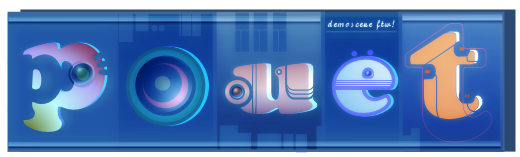
noVGA by Disaster Area [web]
-= noVGA by Disaster Area =-
*Final version*

Code by bananaboy, ript
Music by cTrix
Graphics by darkowl
Words and support sh0ck
Font originally by DNS

.:| Requirements

386 or better, EGA, at least 480kb free conventional memory.

This demo *requires* an EGA card and monitor. Specifically, it requires a
monitor that can be manually switched into 64 colour mode in 320x200
resolution, or one that detects a negative vsync polarity in 320x200 mode
as a signal to switch into that mode.

Not all EGA monitors support this, but the RGBtoHDMI capture device by
Hoglet and IanB does.

This demo will NOT work correctly on a VGA monitor or emulator set to VGA.
DOSBox-X with "machine" set to "ega" does display it correctly (use around
7000 cycles). Mainline (original) DOSBox does not work.

At startup a calibration screen will appear allowing you to check if your
monitor is suitable.

.:| Command-line arguments

By default the demo will set the vsync polarity to negative. You can override
this with -vsyncpositive as a command-line argument. Positive vsync is the
default for 320x200, so using this requires the ability to manually switch an
EGA monitor into 64 colour mode.

You can also use the -soundconfig command-line argument to launch the MIDAS
sound configuration screen if you wish to override the defaults.

.:| Misc

The demo was tested on a real 386DX-33 under MS-DOS 6.22 using a Paradise EGA
card plugged into the RGBtoHDMI. For development, the RGBtoHDMI output went
into an Elgato capture card, with the HDMI passthrough on the card then
plugged into an HDMI to VGA adapter, which was then plugged into a VGA CRT
(for maximum authenticity during development). Unfortunately our real EGA
CRT monitor didn't support the 64 colour mode trick!

disasterarea.net
[ back to the prod ]