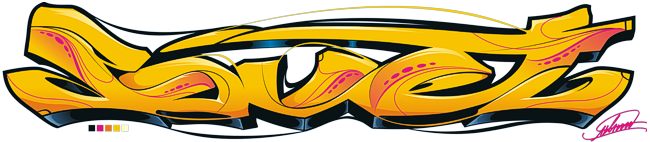
Autumn Collection by Overlook
 ÄÄÄÄÄÄÄÄÄÄÄÄÄÄÄÄÄÄÄÄÄÄÄÄÄÄÄÄÄÄÄÄÄÄÄÄÄÄÄÄÄÄÄÄÄÄÄÄÄÄÄÄÄÄÄÄÄÄÄÄÄÄÄÄÄÄÄÄÄÄÄÄÄÄÄÄÄÄ
                            - Autumn Collection -

                                A Music Disk

              Copyright (C) 1994-95 by OVERLOOK (Moscow, Russia)
 ÄÄÄÄÄÄÄÄÄÄÄÄÄÄÄÄÄÄÄÄÄÄÄÄÄÄÄÄÄÄÄÄÄÄÄÄÄÄÄÄÄÄÄÄÄÄÄÄÄÄÄÄÄÄÄÄÄÄÄÄÄÄÄÄÄÄÄÄÄÄÄÄÄÄÄÄÄÄ

   ÚÄÄÄÄÄÄÄÄÄÄÄÄÄÄ¿
   ³ Introduction ³
   ÀÄÍÍÍÍÍÍÍÍÍÍÍÍÄÙ

     Welcome to AUTUMN COLLECTION.  This  is  a  special  edition  for  the
     Southern  Hemisphere.  ;-)  Well,  the point is  that this project was
     initiated back then, in November 1994...  Thus this strange title. And
     yet,  the title may seem  strange  for us in Europe or North  America,
     since we think that  it's  spring of 1995.  However,  autumn has  just
     begun  for  people in the Southern Hemisphere (Australia, New Zealand,
     South Africa, South America, etc).  This is our small gift for them.


   ÚÄÄÄÄÄÄÄÄÄÄÄÄÄÄÄÄÄÄÄÄÄÄ¿
   ³ Using the Music Disk ³
   ÀÄÍÍÍÍÍÍÍÍÍÍÍÍÍÍÍÍÍÍÍÍÄÙ

     First of all,  you  can  just  launch  the music disk and sit back (or
     dance to it ;-)) for a while.  If you just want to listen to the whole
     thing - type 'OVR-AC.EXE' and watch the show. Refer to troubleshooting
     section if you have problems with  your configuration.  If you want to
     play with Overlook's Hi-Fi system, read on.

     The interface is  quite simple and intuitive.  It resembles a "normal"
     audio system.  You can use your  mouse  to  scroll around and to press
     buttons.  To make it even more  convenient, you can press  <Space Bar>
     or <Right Mouse Button> to toggle the lower song/credits panel.  Basic
     keyboard controls are listed in the next section.

     Basic mouse controls.  Amplifier: you can select the style  of  volume
     bars by clicking on two buttons marked "Display"  (to the right of the
     VU-bar display).   You can control volume with both mouse and with "+"
     and "-" keys.  You can also mute the disk by clicking on  the  "Power"
     button of the amp.

     CD Player:  The  main  panel  of the player has the following buttons:
     "Play", "Stop", "Pause", "Rew/Jump" (jump to previous song), "FF/Jump"
     (jump to next song), and "Rew" and "FF" (1 pattern).  Clicking  on the
     "Play"  button  has  effect  only when a song is stopped.   The "Stop"
     button stops the current song,  pressing "Play" restarts the song from
     the   beginning.   You  can  wind  to   previous/next  songs,  and  to
     previous/next patterns of the current song.  "Repeat" button  controls
     whether the player will play selected songs forever  or  will  exit to
     DOS after playing all selected songs.  "Fade"  button  toggles  volume
     fade in / fade out modes  in  the  beginning  and  the end of modules.
     Please  note  that  fading is disabled in songs nos. 1 and 3.  Buttons
     with digits allow programming of your  favorite  soundtrack  sequence.
     "Time" button  toggles  between display of elapsed time from the start
     of the playing song and current time. "Eject" and "Power" buttons turn
     the player off and exit to DOS.  Actually, "Eject" button opens the CD
     compartment and produces  a  free  CD.  However,  we  ran  into  major
     difficulties when implementing this feature.  So, no free CDs for now.
     ;-)))


   ÚÄÄÄÄÄÄÄÄÄÄÄÄÄÄÄÄÄ¿
   ³ Player Controls ³
   ÀÄÍÍÍÍÍÍÍÍÍÍÍÍÍÍÍÄÙ

        Escape                        --  exit music disk;
        Up/Down arrows                --  select song;
        Enter                         --  load selected song;
        Space or Left mouse button    --  toggle song/credits panel;
        '<' and  '>'                  --  jump to previous/next song;
        '+' and '-'                   --  increase/decrease volume;
        'F'                           --  toggle fade;
        'P'                           --  toggle pause;
        'T'                           --  toggle time/counter;
        '?'                           --  view info about current song;
        F1 - F10                      --  load and play song 1 - 10;
        Shift+F1 - Shift+F10          --  load and play song 11 - 20;
        '1' - '0'                     --  program songs 1 - 10;
        Shift+'1' - Shift+'0'         --  program songs 11 - 20.

      NOTE: Every time you press <Space Bar> or <Right Mouse Button>,
            the credits screen is updated on the song panel.


   ÚÄÄÄÄÄÄÄÄÄÄÄÄÄÄÄÄÄÄÄÄÄÄ¿
   ³ Command Line Options ³
   ÀÄÍÍÍÍÍÍÍÍÍÍÍÍÍÍÍÍÍÍÍÍÄÙ

     NOTE: Options are case sensitive.

     General options:
          -?      Usage help

     Sound options:
          -sx     Force Sound Device x (1 = GUS, 2 = PAS, 3 = WSS, 4 = SB,
                  5 = No Sound)
          -pxxx   Force I/O port xxx (hex) for Sound Device
          -ix     Force IRQ x for Sound Device
          -dx     Force DMA channel x for Sound Device
          -mxxxxx Set mixing rate to xxxxx Hz
          -oxxx   Force output mode (8 = 8-bit, 1 = 16-bit, s = stereo,
                  m = mono)
          -e      Disable EMS usage
          -t      Disable ProTracker BPM tempos
          -u      Enable Surround


   ÚÄÄÄÄÄÄÄÄÄÄÄÄÄÄÄÄÄÄÄÄÄ¿
   ³ System requirements ³
   ÀÄÍÍÍÍÍÍÍÍÍÍÍÍÍÍÍÍÍÍÍÄÙ

      -  AT 386DX40 or faster (it may run on slower PCs, but we don't
         guarantee anything);
      -  Gravis Ultrasound (GUS), Pro Audio Spectrum (PAS), Windows Sound
         System (WSS), or Sound Blaster (SB) compatible card ("no sound"
         mode is also available);
      -  VGA card with 256K memory;
      -  at least 600K of free DOS memory;
      -  1Mb of free EMS memory (on systems without a GUS).


   ÚÄÄÄÄÄÄÄÄÄÄÄÄÄÄÄÄÄÄÄÄÄÄÄ¿
   ³ Supported Sound Cards ³
   ÀÄÍÍÍÍÍÍÍÍÍÍÍÍÍÍÍÍÍÍÍÍÍÄÙ

        þ  Gravis UltraSound / UltraSound Max:
              - This is the optimum choice, if you want real sound quality.
                The card is capable of  outputting 16-bit sound at 44000 Hz
                (48000 Hz for UtlraSound Max).

        þ  Media Vision Pro Audio Spectrum family:
              - Includes PAS, PAS+ and PAS 16;
              - Note that PAS uses 16-bit mode by default,  thus,  you have
                to use -o8 command line option for PAS or PAS+.  Also, with
                a standard PAS  you have to set mixing rate equal to 22 kHz
                or less, using -m22000;

        þ  Microsoft Windows Sound System:
              - Should also work with other WSS compatible cards,  such  as
                Compaq Business Audio, and is tested to work with Audiotrix
                Pro;
              - Note that there is no autodetection for WSS, so you have to
                force the correct settings  using  the command line options
                (i.e., -s3 -p530 -i9 -d3);

        þ  Creative Labs Sound Blaster series:
              - Supports SB 1.0, 1.5, 2.0, SB Pro, and SB16;
              - Attempts  to  use DMA channel 1,  so with SB 16 you have to
                force the correct "High-DMA" channel (i.e., -d5);
              - Also  supports  Sound  Blaster  clones  (i.e., Sound Galaxy
                series);

        þ  No Sound:
              - Plays nothing. It is always used when no cards are detected;
              - Allows  sound synchronization  for  systems without a sound
                card.

     Note that both GUS and SB Sound Devices use direct hardware  detection
     routines,  and  may  cause  problems on some computers.  In this case,
     simply force settings for your card from the command line.


   ÚÄÄÄÄÄÄÄÄÄÄÄÄÄÄÄÄÄÄÄÄÄÄÄÄÄÄÄÄÄÄÄÄ¿
   ³ Troubleshooting and Known Bugs ³
   ÀÄÍÍÍÍÍÍÍÍÍÍÍÍÍÍÍÍÍÍÍÍÍÍÍÍÍÍÍÍÍÍÄÙ

     If the disk locks up a PC,  or the sound quality is terrible  (or  you
     hear only noise)  --  this may depend  on  your  loaded  cache  or EMS
     driver -- remove them,  or use  -e  command line option to disable EMS
     usage (A configuration with QEMM and NCache may fail on some systems).

     If the disk is silent on an SB16  --  force correct "High-DMA" channel
     from the command line (e.g., -d5).  Alternatively, you can use command
     line option -o8 to force 8-bit output.

     The disk may occasionally drop to DOS with  "MIDAS Error: Invalid file
     handle" message when switching between music modules VERY often.  This
     may or may not happen to on your system. This seems to be a MIDAS bug.

     Final solution: if everything fails. Please, care to report such cases.
     Now we'll tell you what to do -- use your favorite S3M player (CapaMod,
     Inertia, or Starplayer; but not DMP)  and listen to the tunes.  If you
     don't have a player,  you  can   ftp   one   from  ftp.eng.ufl.edu  or
     ftp.cdrom.com (/demos/music/programs/players).  Or  download  one from
     your local BBS  (look  for  names  like  "cmod???.*", "iplay???.*", or
     "starp???.*"). This is the worst solution, but at least you'll be able
     to listen to the music.  Also,  there's still a chance that the player
     will work in "no sound" mode, so you can take a look at the music disk
     shell.


   ÚÄÄÄÄÄÄÄÄÄÄÄÄÄÄÄÄÄÄÄÄÄÄÄ¿
   ³ Technical Information ³
   ÀÄÍÍÍÍÍÍÍÍÍÍÍÍÍÍÍÍÍÍÍÍÍÄÙ

     This music disk  uses  MIDAS  sound  system by Petteri Kangaslampi and
     Jarno Paananen (v.0.32b).  The player program runs in the  360x270/256
     color tweaked mode.

     The music disk was coded and tested on:

        --  386SX-40,  2Mb RAM, GUS, TVGA;
        --  386DX-40,  4Mb RAM, No soundcard, RtVGA;
        --  386DX-40,  4Mb RAM, GUS Max, TVGA.


   ÚÄÄÄÄÄÄÄÄÄ¿
   ³ Credits ³
   ÀÄÍÍÍÍÍÍÍÄÙ

      The  AUTUMN  COLLECTION  music disk was created by  OVERLOOK,  a demo
      group from Moscow, RUSSIA, during late autumn and winter of 1994/95.

      Design, code, and additional graphics:
                          Oleg Gamayunoff (Steel Rat);

      Graphics and additional design:
                          Maxim Axenov (Battle Master);

      Project coordination and cool ideas:
                         Dmitry Altukhov (Dreamwalker);

      Songs "Techno Angel",  "Speaker Beeps",  "New Generation", "Life Goes
      On", and "Plasma  Dreams" were composed and tracked by
                            Victor Belov (ScreamMan);

      Songs "Numizmaty! (Numismatists)", "Torture  Music", and "Lazer Wind"
      were composed and tracked by
                           Philipp Barsky (Tangerine).


   ÚÄÄÄÄÄÄÄÄ¿
   ³ Greets ³
   ÀÄÍÍÍÍÍÍÄÙ

     OVERLOOK greets the following groups/persons:

               ú @ ú Aardvark ú Access Denied ú Acme ú Avalanche ú
             ú Capacala ú Cascada VRS ú Complex ú Digital Infinity ú
          ú Dust ú EMF ú Epical ú Extreme ú Future Crew ú Ground Zero ú
      ú HORNET Team ú Iguana/VangeliSTeam ú Immortal Syndicate ú Imphobia ú
        ú Kosmic (KFMF) ú Legend Design ú Majic  12 ú NoooN ú Nostalgia ú
           ú Oxygen ú Purple ú Renaissance ú Frontline  Design (TSP) ú
             ú S!P ú Synergy ú Triton ú Tran ú Twilight Zone ú VLA ú
                      ú Virtual Visions ú Witan ú Xography ú

     Steel Rat's personal greetings:

                              = Darkness / Imphobia =
                               = Zodiak  / Cascada =
                                = Yaka / Xography =
                                   = Fear /  @ =
                               = SnowMan  / HORNET =
                                      = Tran =
                                   = 2NB & REN =

     Battle Master's personal greetings:

                              = Skaven /  Future Crew =
                                = Royal Ghost / DDT =
                            Ringo Starr and John Lennon ;)

     Dreamwalker's personal greetings:

                                      = Tran =
                      = Trixter / Chromatiks, Grind, TAP ;-) =
                    = Zaph / Cthugha,  An Oscilloscope on Acid =
                                   = Edge / EMF =
                               = Mystical /  Purple =
                                = SnowMan / HORNET =
                        = flap, Spay and Breeze / Capacala =
                                  = Jare / Iguana =

     ScreamMan's personal greetings:

                                     = AS / AG =
                                 = All C64 People =
                              = All OVERLOOK members =
                                         ---
                                   Special greets:
                              the woman I love too much:
                            Kate Borukhoua from Baltimore.

     Tangerine's personal greetings:

                      = Purple Motion and Skaven / Future Crew =
                                  = Zodiak / Cascada =
                              = Mr.H and Vogue / Triton =
                            = Baldric and Zyric / Extreme =
                                  = Advanced Gravis =

 ÄÄÄÄÄÄÄÄÄÄÄÄÄÄÄÄÄÄÄÄÄÄÄÄÄÄÄÄÄÄÄÄÄÄÄÄÄÄÄÄÄÄÄÄÄÄÄÄÄÄÄÄÄÄÄÄÄÄÄÄÄÄÄÄÄÄÄÄÄÄÄÄ[EOF]Ä
[ back to the prod ]